
In today’s digital world, if your business doesn’t have a presence on the internet, you don’t stand a chance. But just like brick-and-mortar companies, websites have to ensure accessibility to all to avoid discrimination. In fact, the Americans with Disabilities Act (ADA) and the European Accessibility Act (EAA) require that people with disabilities have access to websites. If your website isn’t up to EAA and ADA standards, you’ll not only alienate a significant number of potential customers, but you also risk protracted lawsuits, hefty fines, and a whole lot of unnecessary stress.
Whether you’re running an eCommerce store, a SaaS platform, or a small local business website, you can’t keep ignoring EAA and ADA compliance guidelines and pushing accessibility issues to the bottom of your to-do list. The good news? You don’t need to hire legal experts or turn into a web developer overnight to understand the right course of action. But you do need the right checklist, and that’s where we come into play. In today’s post, we break down the most important steps you need to take to nail ADA and EAA compliance.
How do I certify my website is ADA compliant?
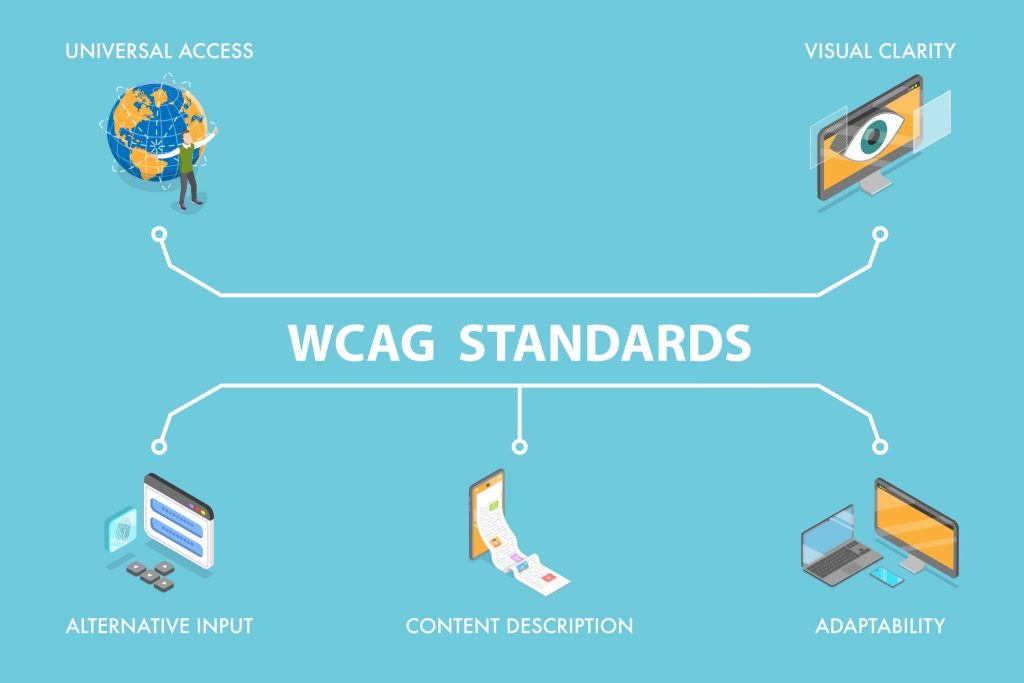
ADA and EAA website compliance isn’t just about dodging legal troubles, though that is extremely important. It’s also about making your site usable and welcoming to all. With the number of internet users growing by the day, the number of people with disabilities who visit your site will also continue to rise. This means greater reach, more customers, increased engagement with your brand, and better SEO (yep, Google is big on accessibility and just loves accessible sites too).
Here’s a streamlined rundown of items you should evaluate and implement to ensure ADA and EAA compliance and greater inclusivity.
1. Follow WCAG 2.1 guidelines (Level AA)
Have you heard of the Web Content Accessibility Guidelines (WCAG)? According to the final rule update published by the Department of Justice (DOJ) in April 2024, the government has adopted Level AA, outlined in the WCAG Version 2.1, as the technical standard for all its state and local web content. In practice, businesses in both the EU and the United States look to align themselves with the same standards as an acceptable compliance level. The key requirements include:
- Text alternatives for any non-text content (like images, videos, and infographics)
- Keyboard navigation for users who can’t use a mouse
- Readable text contrast (a contrast ratio of at least 4.5:1)
- Resizable text without loss of content or function
- Consistent navigation across pages
2. Make sure your site supports screen readers
For visually impaired people surfing the web, screen readers are a lifeline that helps them make sense of online content. Your website code must be structured semantically (with proper use of headings, lists, landmarks, etc.), and all images on the page need meaningful alt text. Avoid placeholder images and ‘click here’ buttons that provide zero context.
3. All interactive elements should be accessible
This includes items like forms, buttons, menus, and sliders. Always label your form fields appropriately, use ARIA attributes where you need to provide additional semantic info, and ensure that every action can be completed using the keyboard with no need to use the mouse. It’s important to avoid elements that flash more than 3 times per second since it can cause seizures in vulnerable users.
4. Embrace captions & transcripts for media
If your site includes video or audio clips, you’ll need to provide closed captions and full transcripts. There are numerous auto-captioning tools on the web that can make this surprisingly quick and easy to do.
5. Avoid the ‘fancy’ stuff that hinders accessibility
Yes, animated cursors and dropdowns can make your online presentation stand out and look cool, but they often break the accessibility of your website. Stick to a simple UI/UX that prioritizes clarity, and you can expect a double payoff. Google will favor you, and your users will thank you.
6. Test, test, & test some more
Keep in mind that accessibility is a developing thing and not a one-time fix. Even if your website looks accessible and you’ve received no complaints, there is only one way to stay ahead of the regulatory curve. Test and test again. Our clever Accessibility Widget automatically adapts the website for users to provide a welcoming experience for all.
Who can help me get to grips with EAA & ADA compliance guidelines?
Whether you’re running a mom-and-pop shop with a basic web presence or a chain store, franchise, E-commerce, or SaaS platform, you just can’t hide from the ADA and EAA compliance regulations. At Access, we have a team dedicated to working on detecting potential compliance pitfalls, so you can avoid accessibility controversies, and stay firmly within the latest EAA/ADA framework. What’s more, we’ve also prepared an extensive comparison of accessibility services that operate in the UK.
Why leave people disappointed, potential customers frustrated, and risk a legal tangle that will drain your energy and resources? Embrace our combination of high-tech and human ingenuity and become accessible to all! Schedule a free consultation today!